Features

Everything your hospital runs on.
In one system.

MediCare HMS is a patient administration system (PAS) that connects reception, wards, the lab, the pharmacy and billing. Here is every module, as it works today.

Patient flow

Every patient, every stage.
Live on every screen.

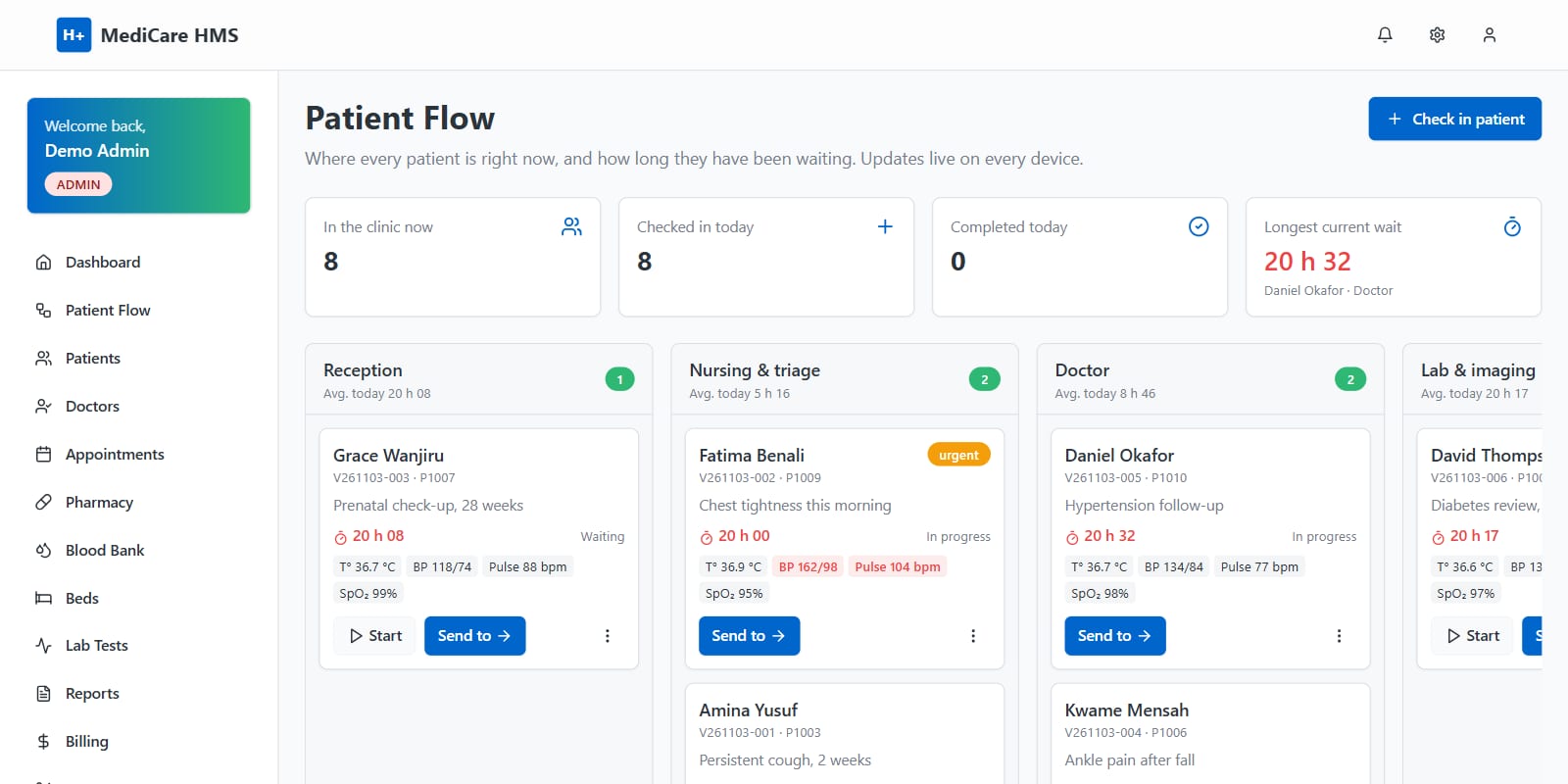
A board that follows each visit from reception to checkout, so everyone knows who is waiting, where, and for how long.

  • Stages: reception, nursing & triage, doctor, lab & imaging, pharmacy, checkout
  • Each role sees its own queue: nurses see triage, pharmacists the pharmacy
  • Waiting time per patient and average time per stage, today
  • Vital signs with normal ranges flagged: temperature, blood pressure, pulse, respiratory rate, SpO₂, glucose, weight, height, pain score
Patient flow board in MediCare HMS. Demo data.

Patients

One file per patient.
From admission to discharge.

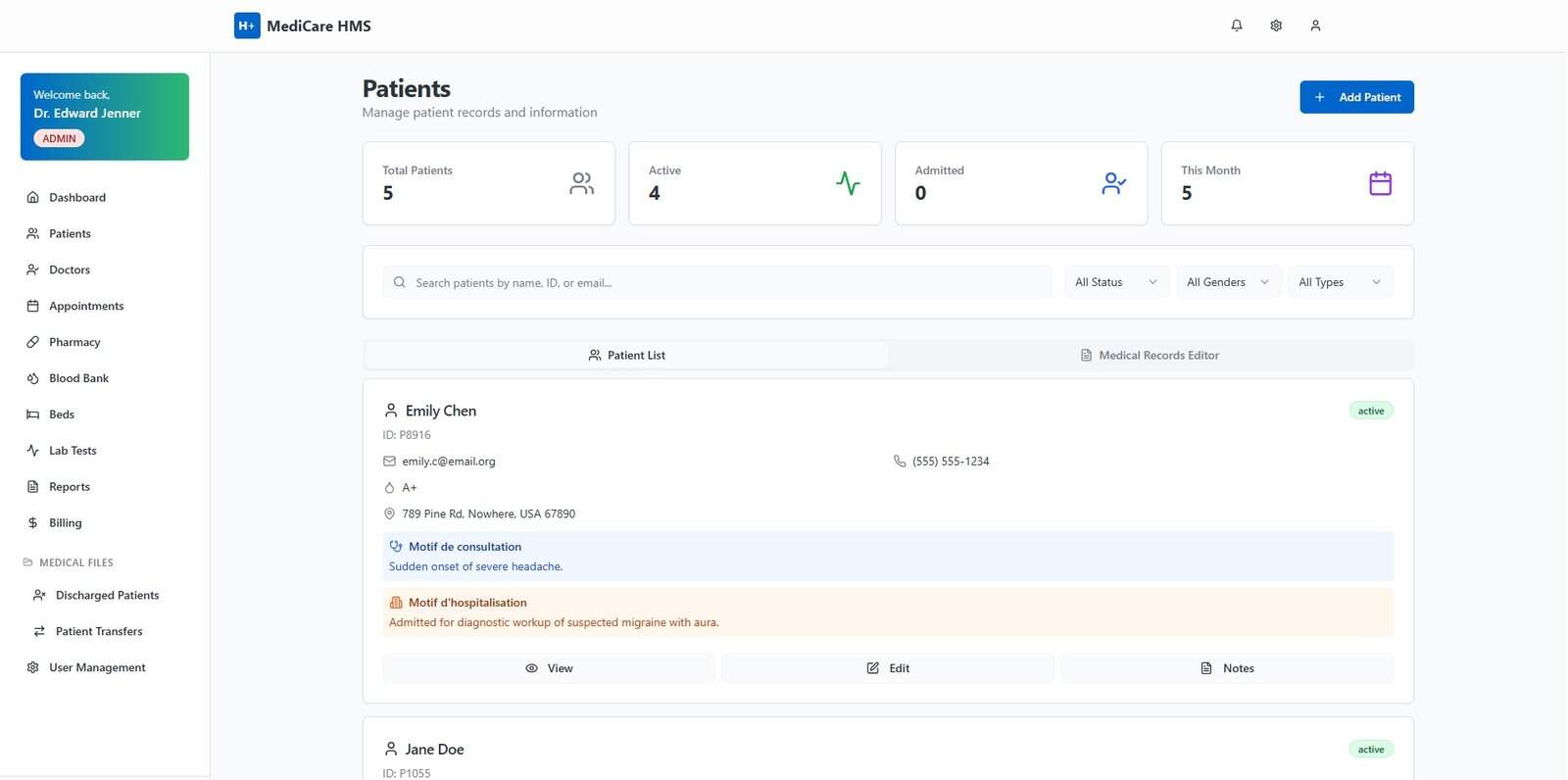
Registration, admission, transfer and discharge (ADT) in a single patient file that reception, doctors and nurses share.

  • Admit patients and assign them a bed and a department
  • Internal and external transfers, with a printable transfer report
  • Discharged-patient records with a printable discharge report
  • Export discharge and transfer records to CSV
Patient records in MediCare HMS. Demo data.

Appointments & doctors

A schedule every doctor can read.
And who is free right now.

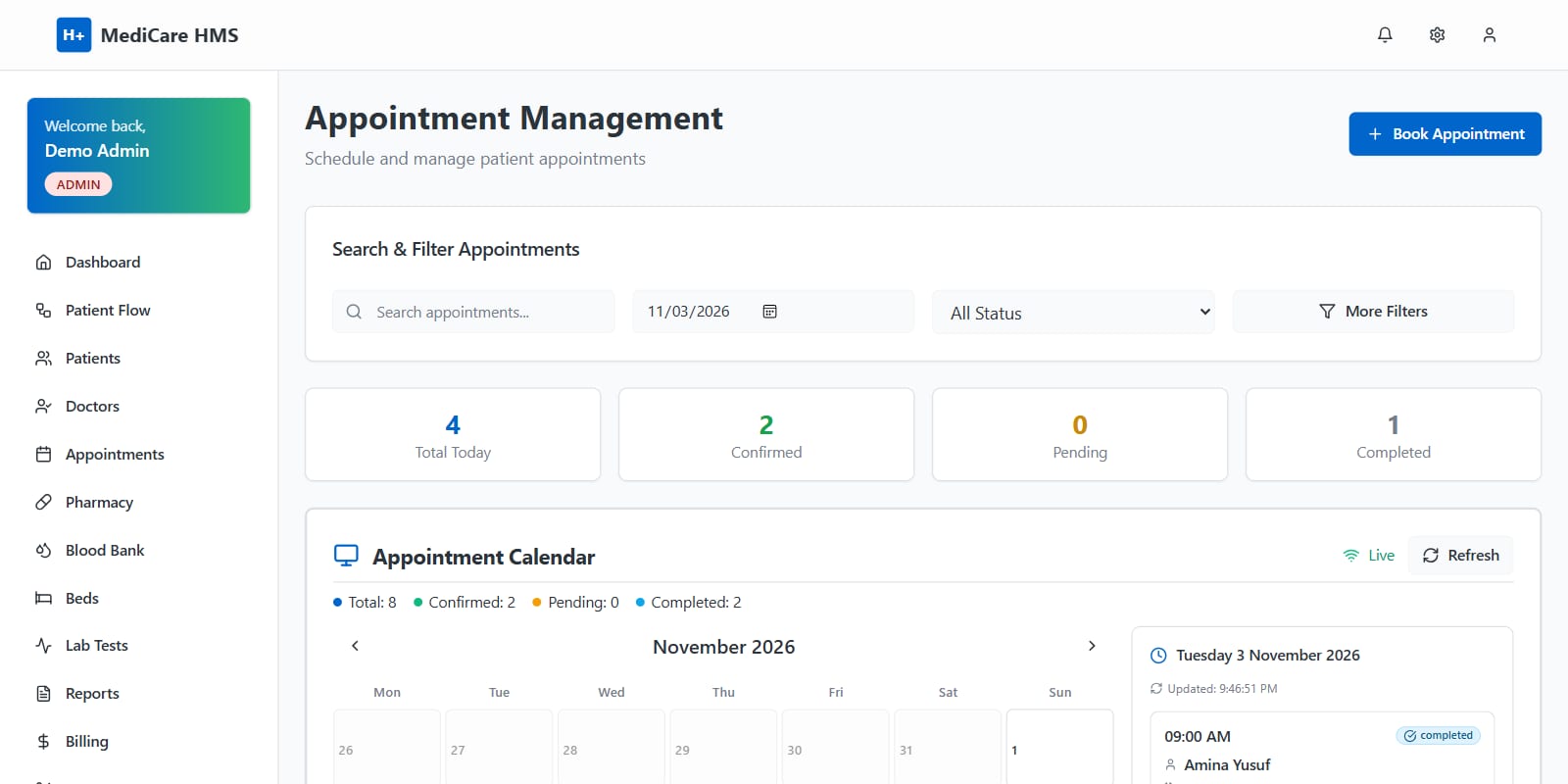
Book, confirm and follow appointments and specialist consultations, with each doctor’s availability in view.

  • Appointments by doctor, date and status
  • Doctor profiles: specialty, experience and consultation fee
  • Availability at a glance: available, busy or in surgery
Appointments in MediCare HMS. Demo data.

Laboratory

Lab results that reach the doctor.
Printed in one click.

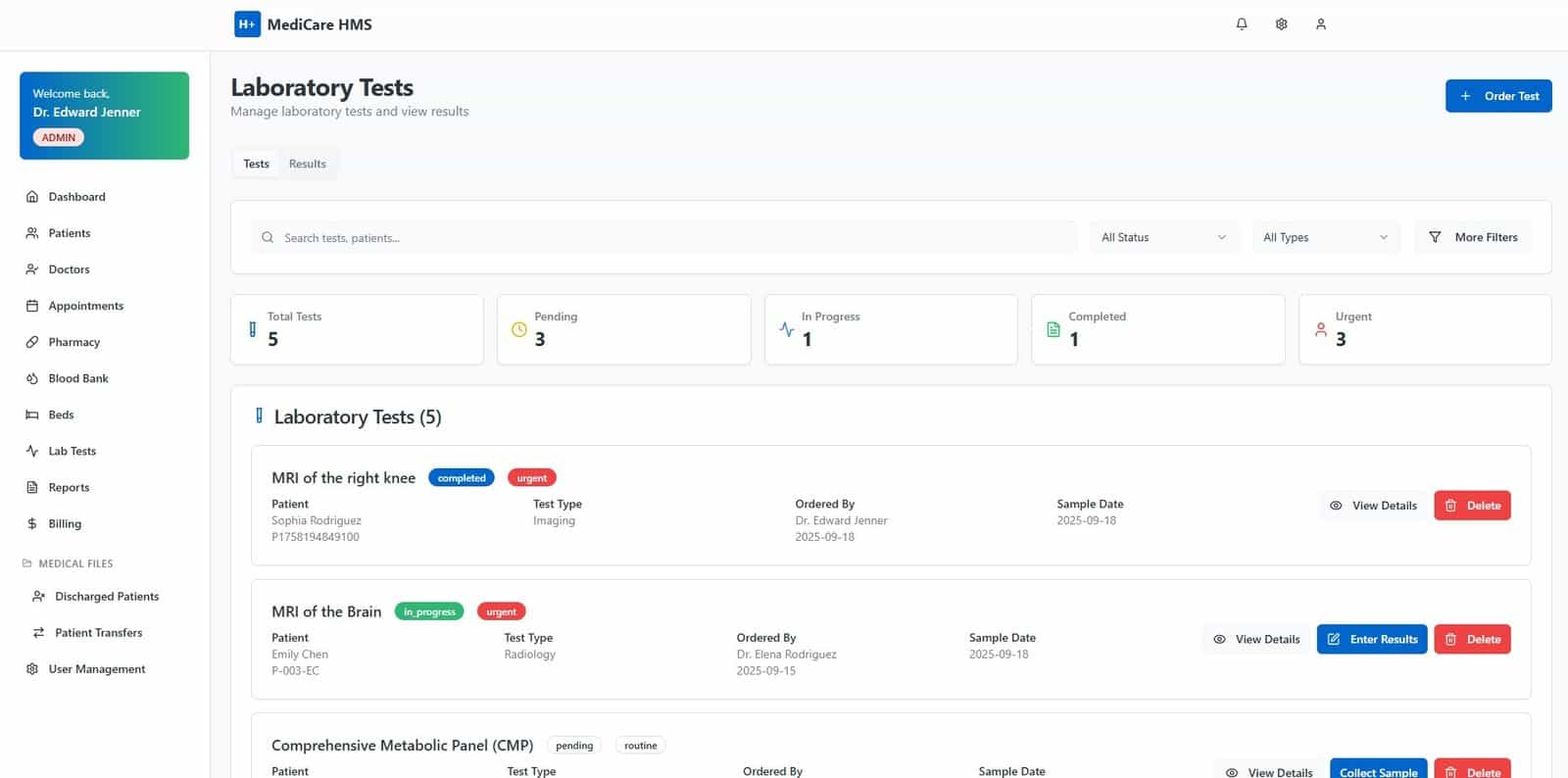
Order tests, record results and print reports, all linked to the patient file.

  • Tests ordered from the patient file
  • Result templates for common tests, such as the malaria blood slide, or a free-text report
  • Printable PDF lab reports
Lab tests in MediCare HMS. Demo data.

Pharmacy

Prescriptions to stock.
Nothing runs out unnoticed.

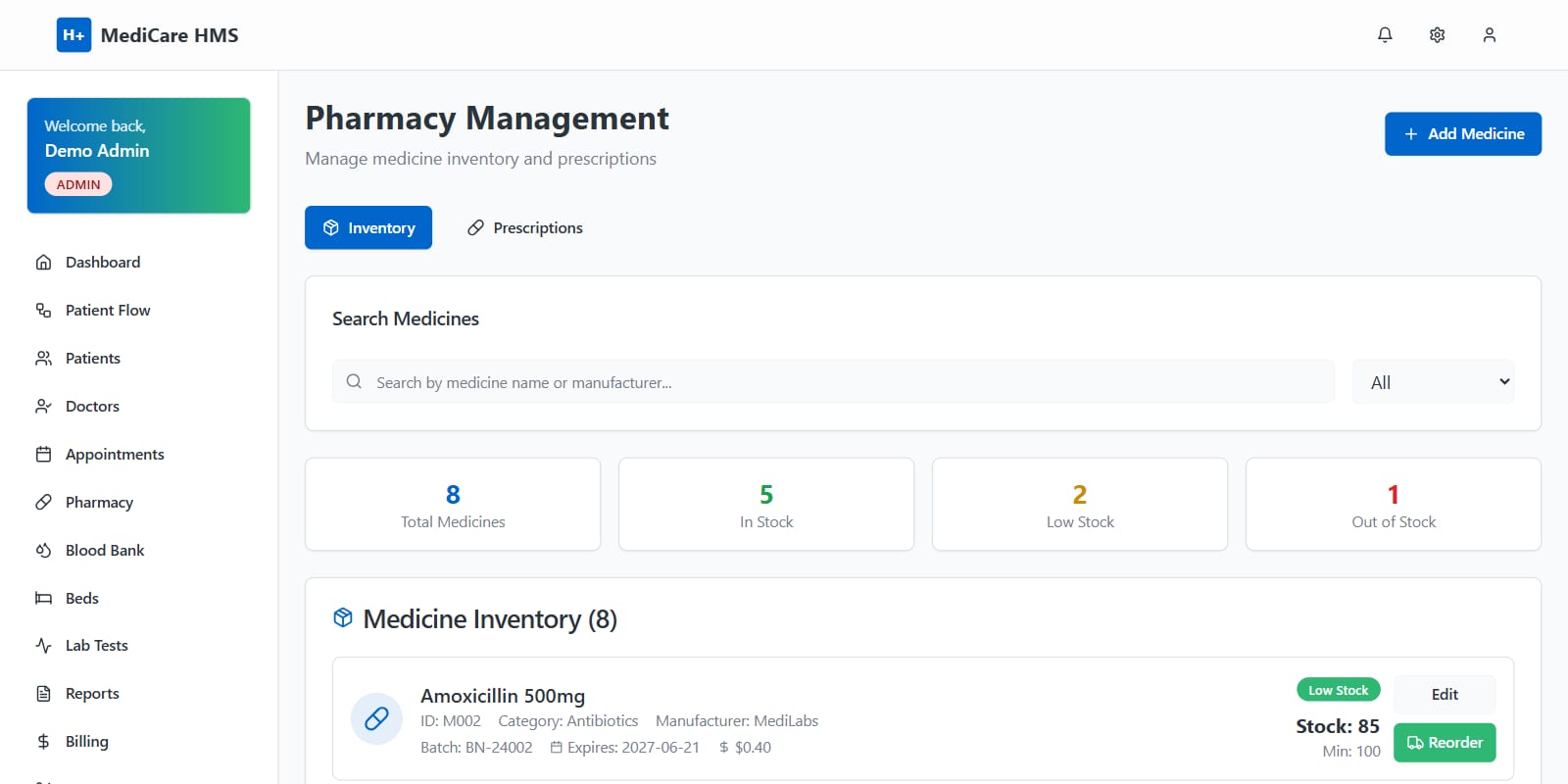
Doctors prescribe, pharmacists dispense, and the stock keeps itself up to date.

  • Medicine stock with batch numbers and expiry dates
  • Low-stock and out-of-stock counts
  • Prescriptions from the doctor straight to the pharmacy
  • Printable medicine orders
Pharmacy in MediCare HMS. Demo data.

Wards & beds

Every bed, accounted for.
Ward by ward.

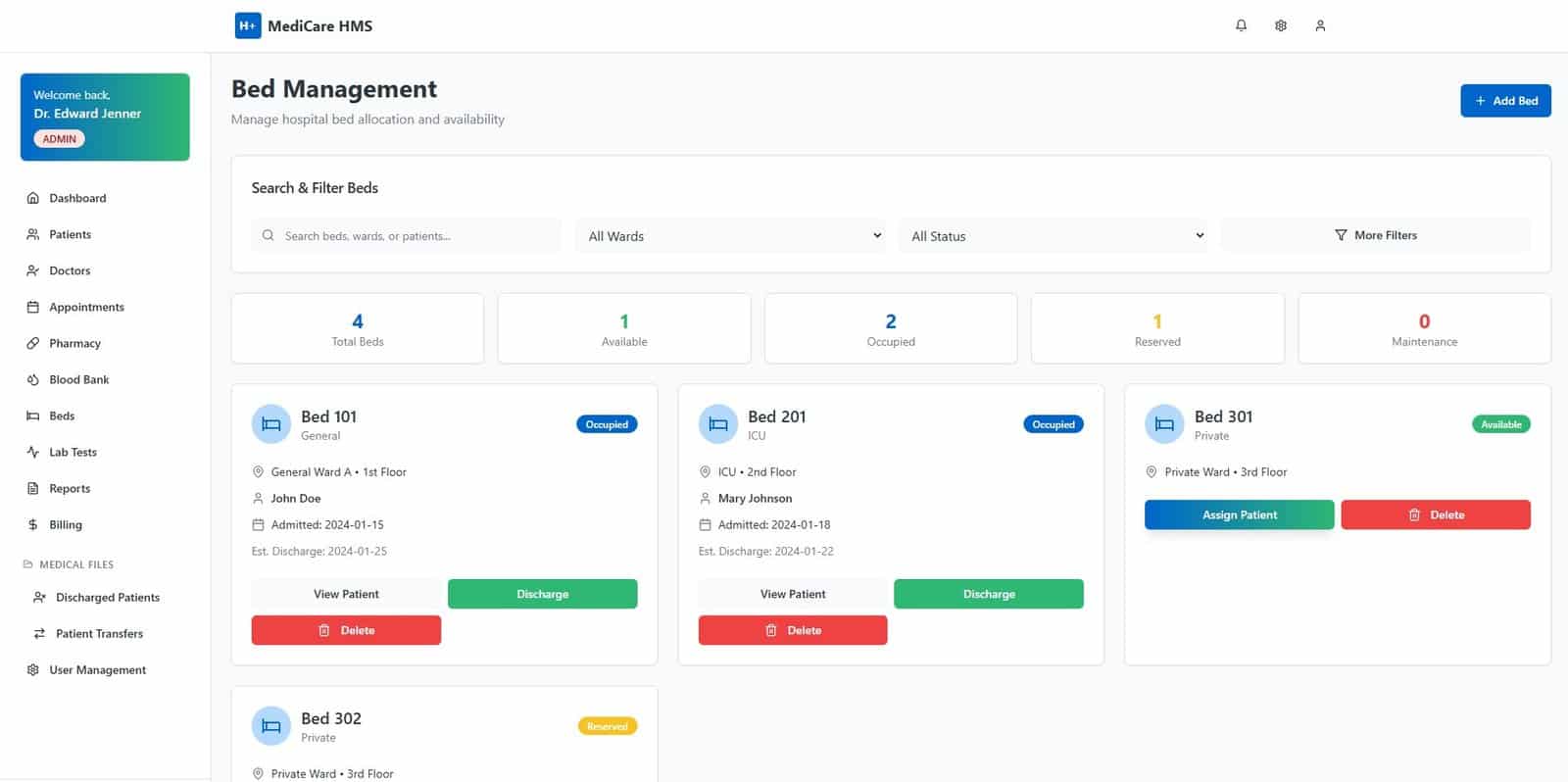
See free and occupied beds by ward and assign them at admission.

  • Free and occupied beds by ward
  • Bed assigned when the patient is admitted
Beds in MediCare HMS. Demo data.

Surgery & anesthesia

Operations, planned.
From proposal to theatre.

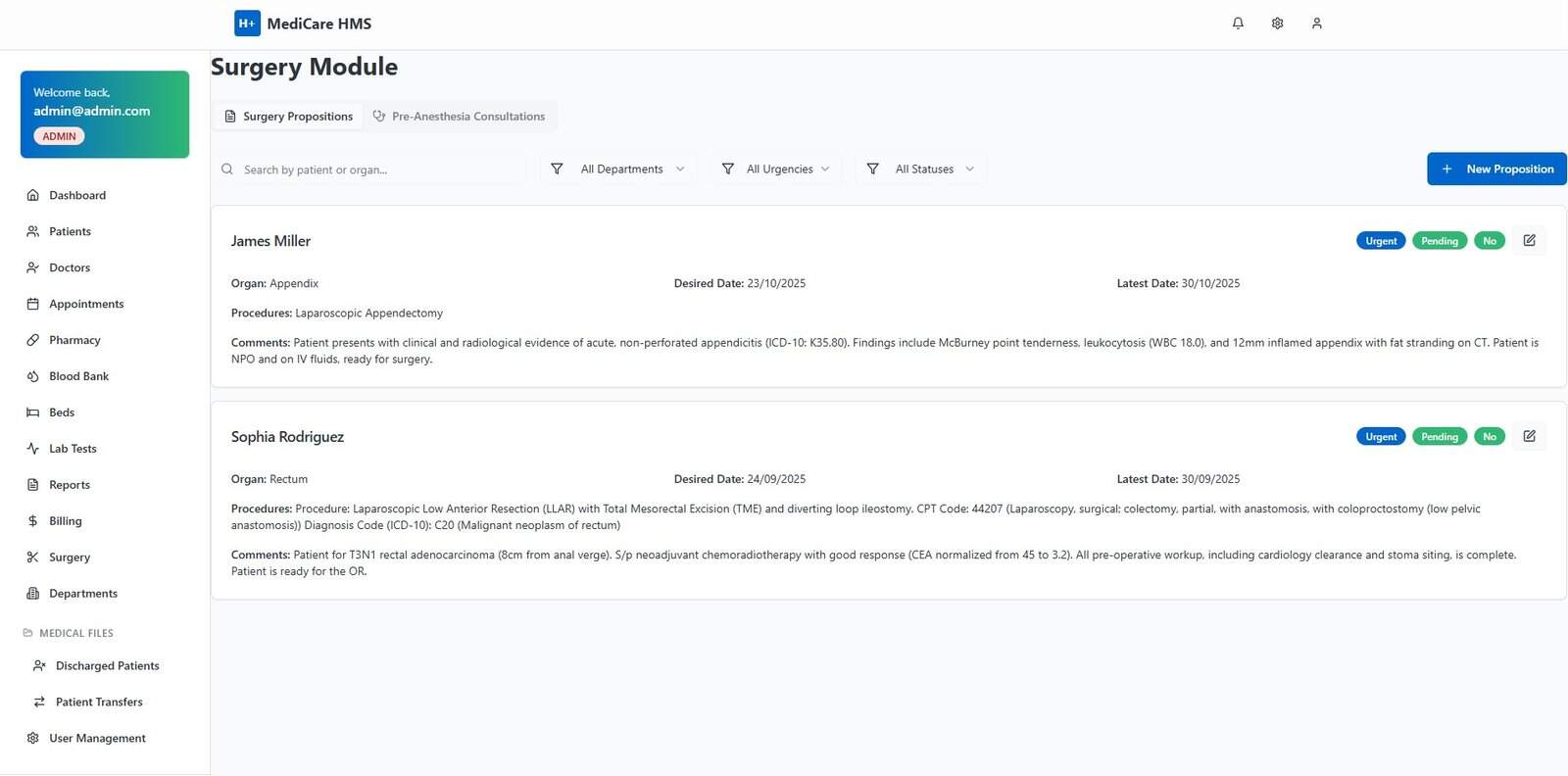
Propose operations by urgency, approve and schedule them, with the pre-anesthesia consultation on file.

  • Surgery proposals with urgency and status
  • Approval and scheduling
  • Pre-anesthesia consultations with ASA score
Surgery in MediCare HMS. Demo data.

Blood bank

Every unit, traced.
Before it expires.

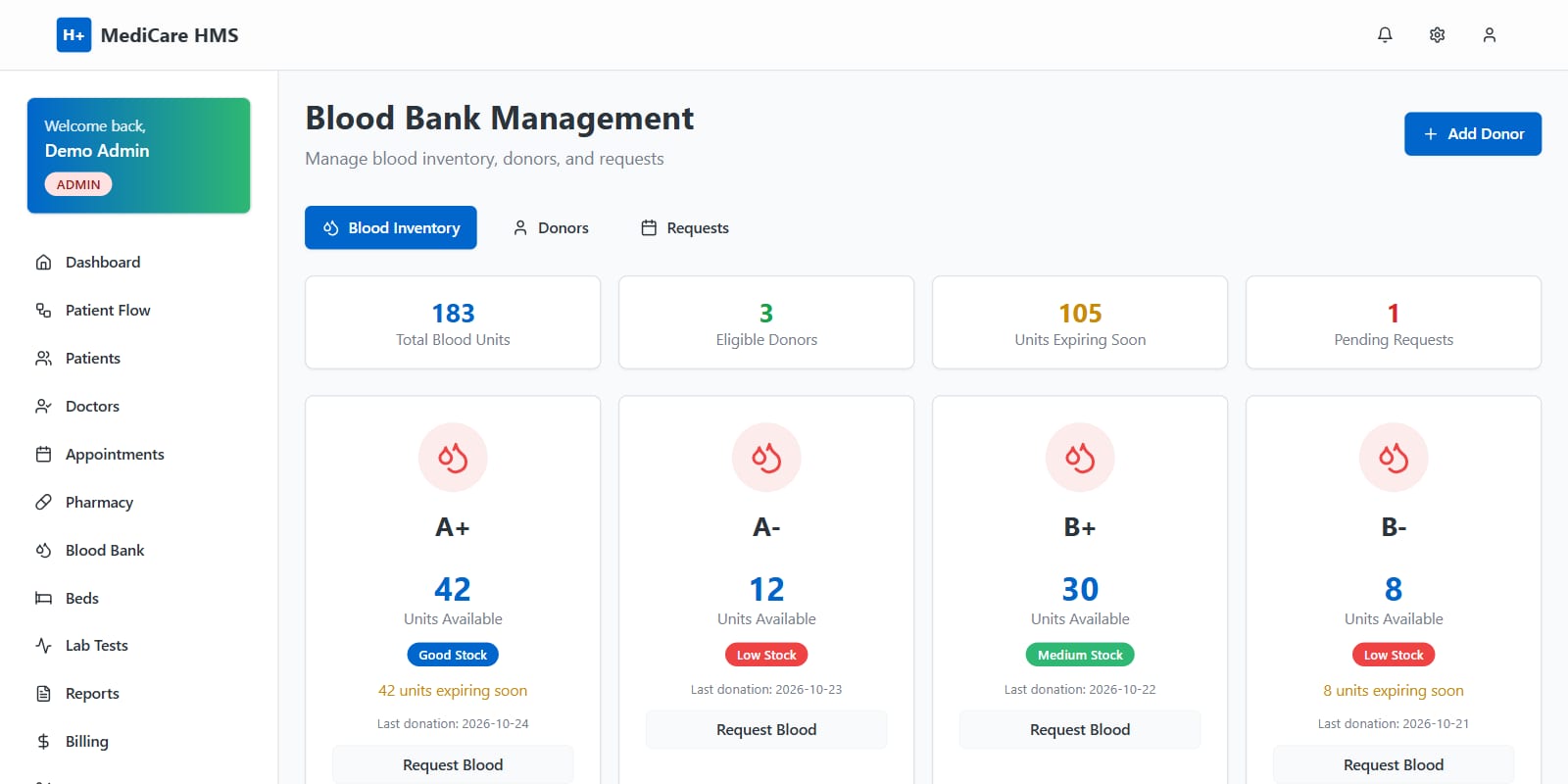
Units by blood group, donors and requests, with alerts for units about to expire.

  • Stock by blood group
  • Donor records and donation scheduling
  • Blood requests with a printable request form
  • Alerts for units close to expiry
Blood bank in MediCare HMS. Demo data.

Billing

Invoices in your currency.
Paid in full or in parts.

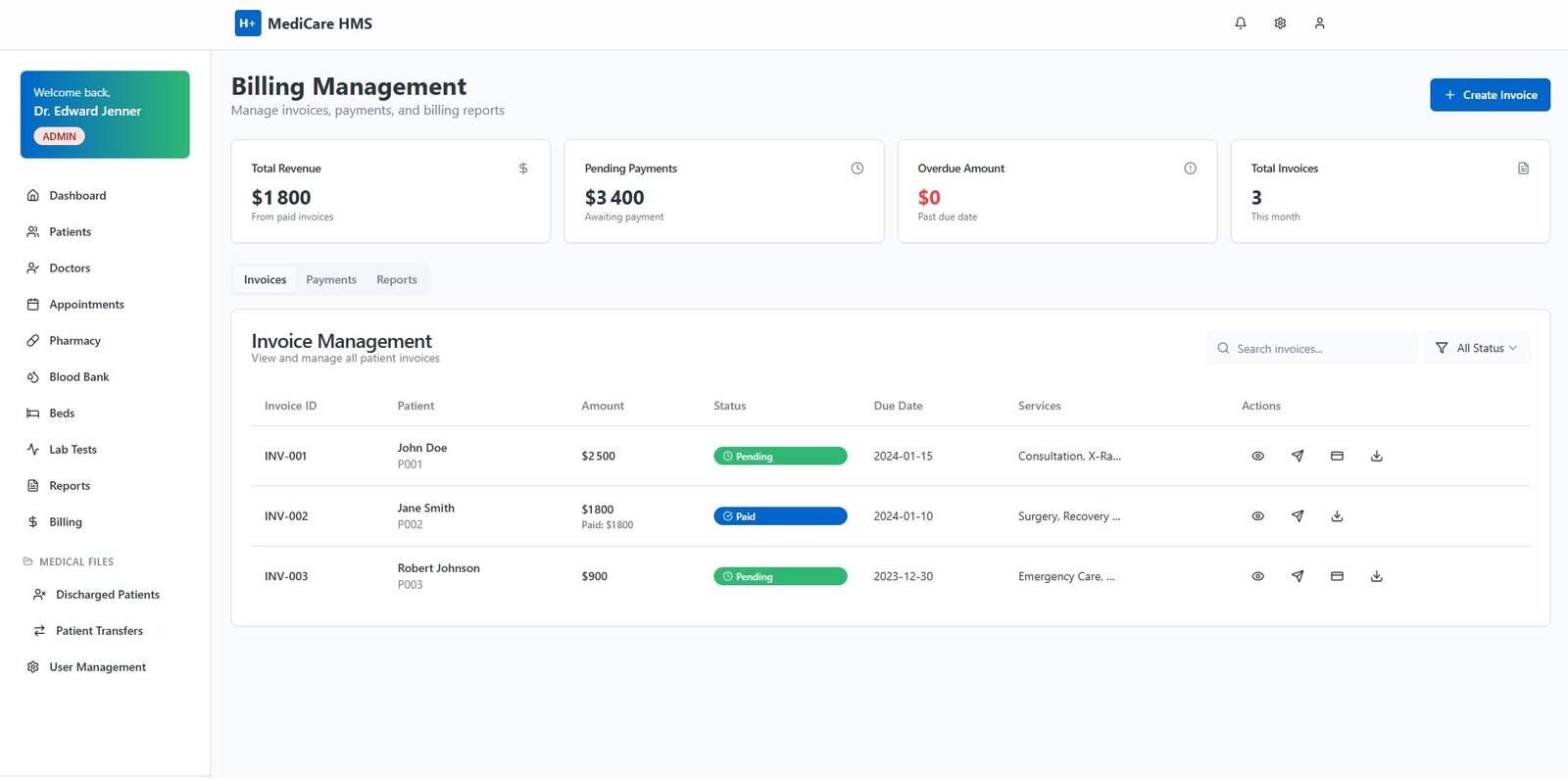
Invoices, payments and outstanding balances in the currency your hospital chooses, from more than 160.

  • Invoices listing each service, with partial payments and remaining balance
  • Printable PDF invoices and revenue reports
  • Optional rule: lab tests and medicines reach the lab and pharmacy only once checkout marks them paid, or “Pass” for insurance and monthly accounts
Billing in MediCare HMS. Demo data.

Reports

Numbers, without spreadsheets.
Exported to PDF.

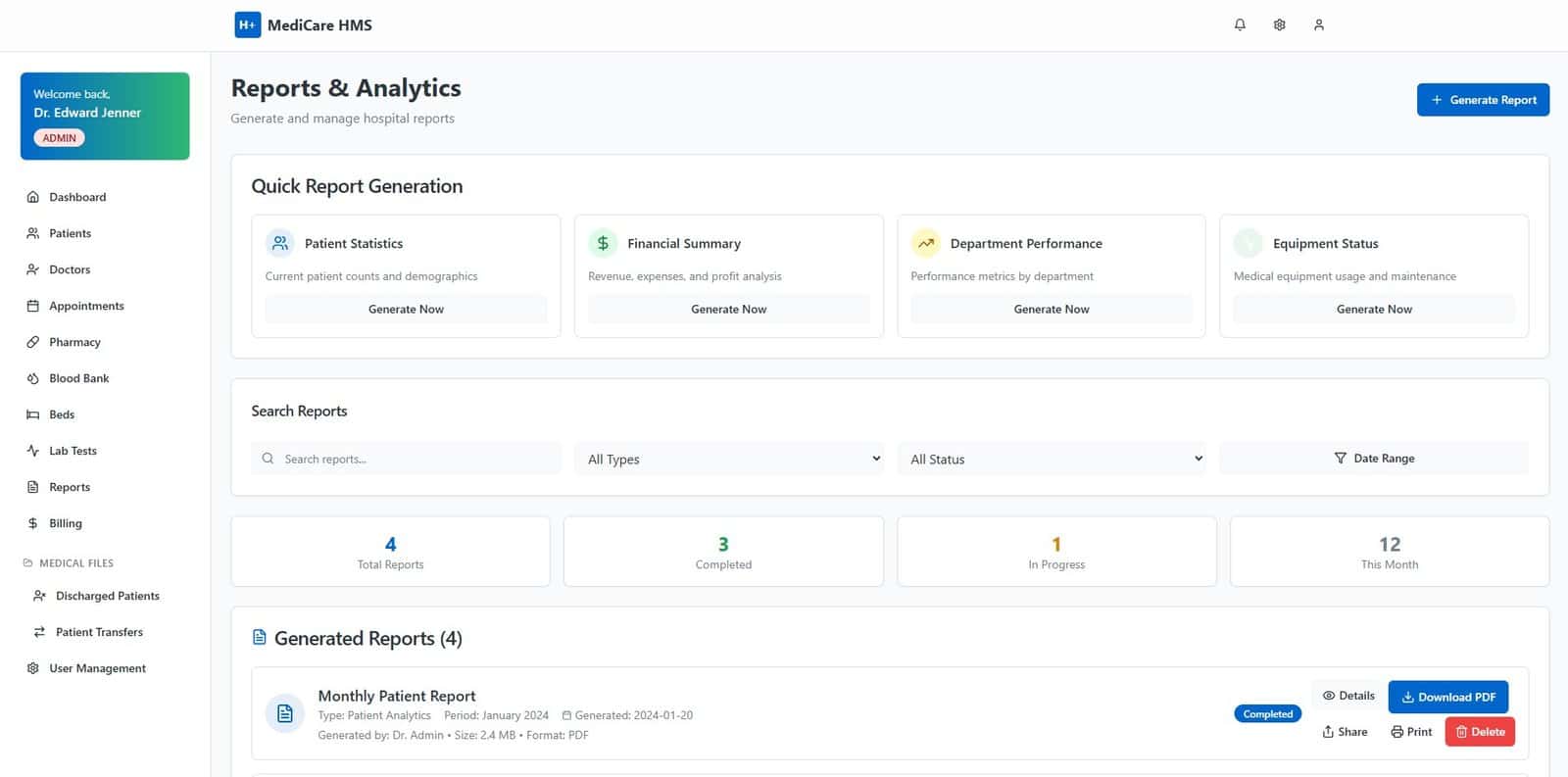
Patient, financial and department reports, generated from the data your teams already enter.

  • Patient statistics
  • Financial summary
  • Department performance
  • PDF export
Reports in MediCare HMS. Demo data.

Departments

Your hospital’s structure.
Ready on day one.

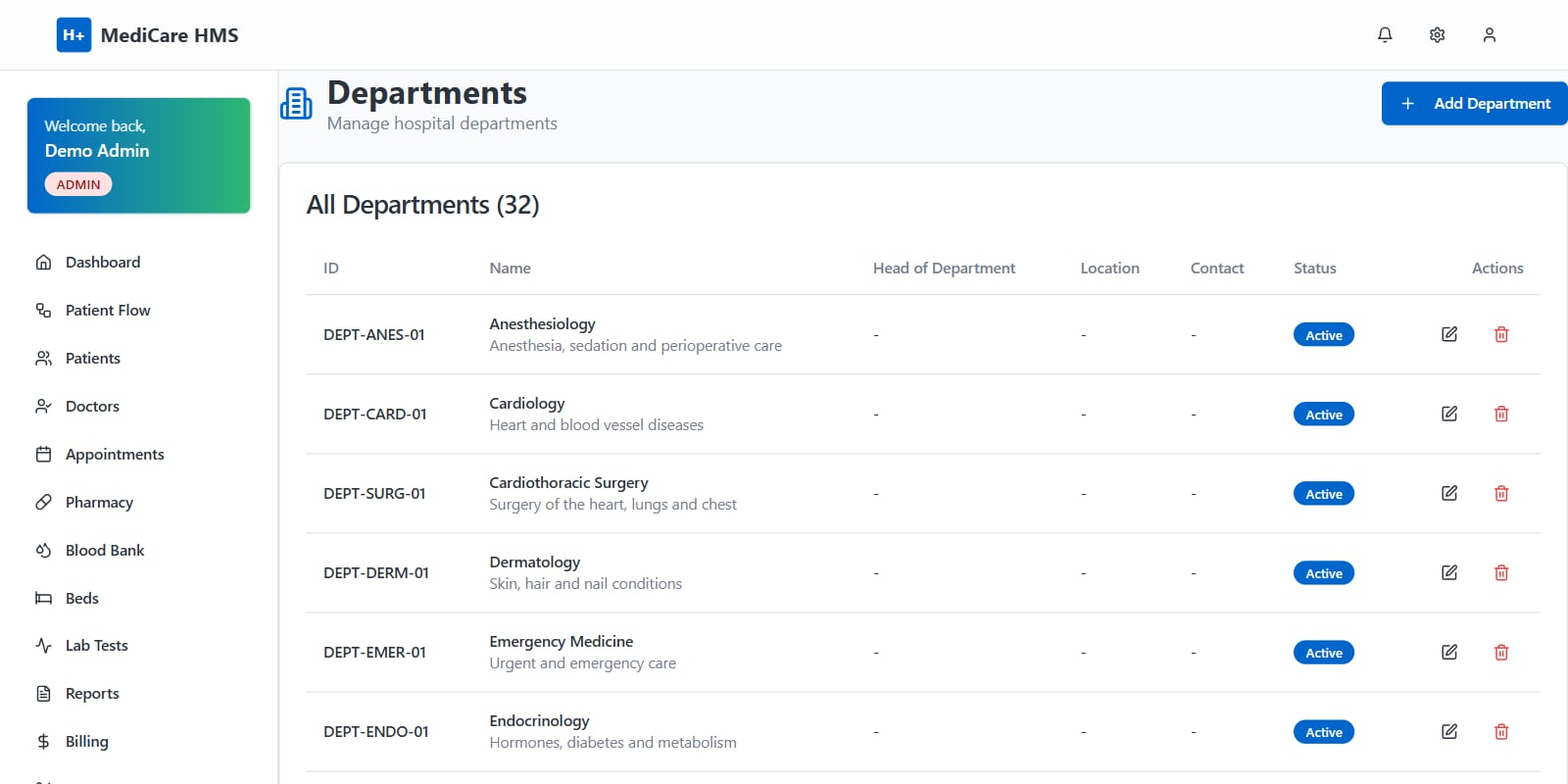
A new hospital starts with the usual medical departments; rename them, add your own, and give each a code, head, location and contact.

  • Default medical departments to start from
  • Code, head, location and contact per department
Departments in MediCare HMS. Demo data.

Users & roles

The right access for each role.
Set by your administrator.

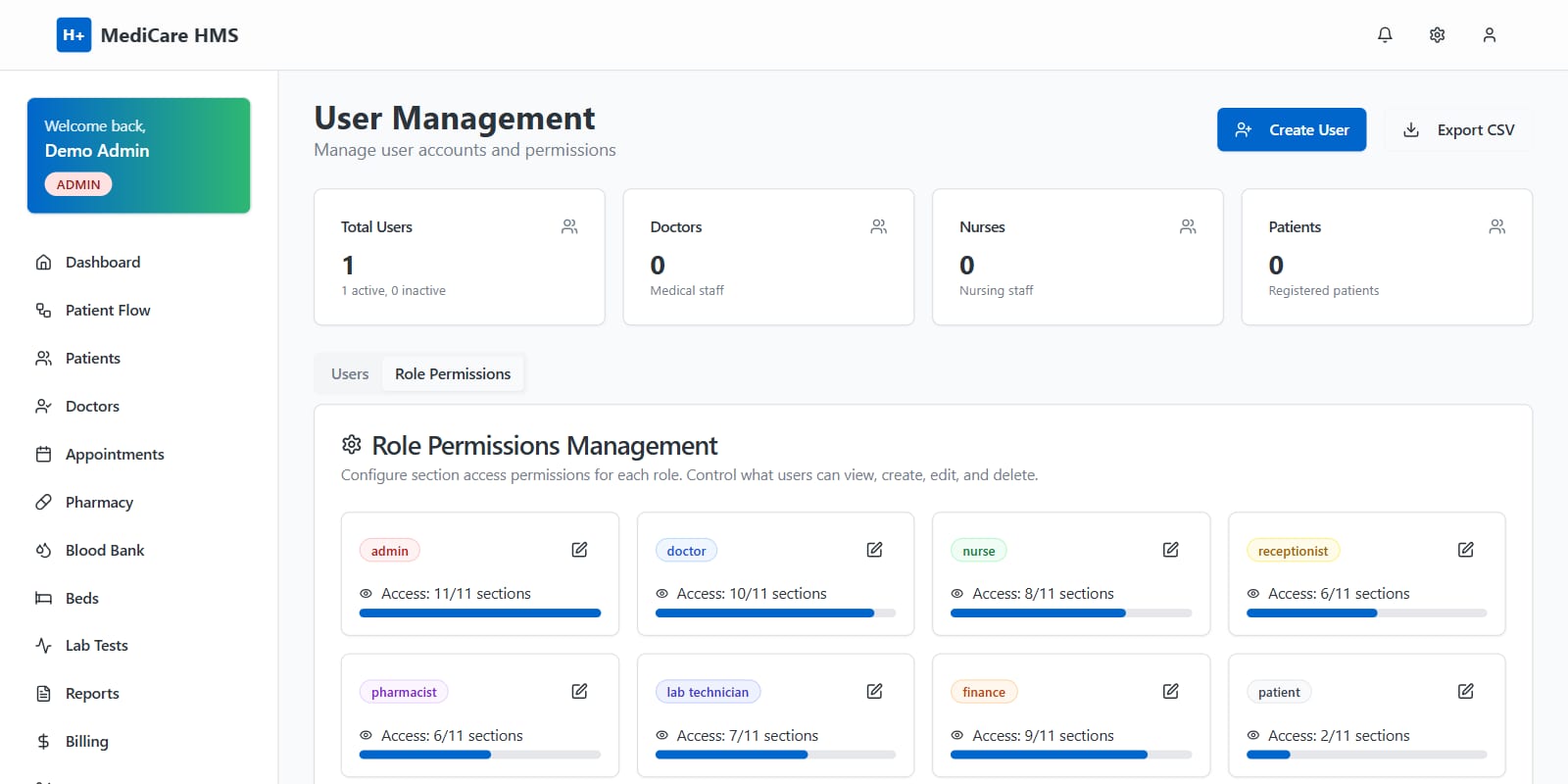
Your administrator creates every staff account and decides what each role can view, create, edit and delete.

  • Roles: administrator, doctor, nurse, receptionist, pharmacist, lab technician, finance, anesthesiologist
  • Permissions per section: view, create, edit, delete
  • No public sign-up: only your administrator adds staff
  • Export the user list to CSV
User roles and permissions in MediCare HMS. Demo data.

Built in

Included everywhere.
On every plan.

What every module shares, whichever license you choose.

Works offline

The Windows app keeps your hospital’s data on the computer. Work continues during an outage and syncs when the connection returns.

Every department, in sync

Install it on each department’s computer or open it in any browser. A change on one device appears on the others within seconds.

40 languages

Each person picks the app’s language in Settings: English, French, Spanish, Arabic, Chinese, Hindi and 34 more.

160+ currencies

The administrator picks the hospital’s currency once. Invoices, prices, reports and PDFs follow on every device.

Your data, kept apart

Each hospital’s data is isolated from every other hospital, and server-side rules check each role before any record is read or changed.

Nothing to install on a server

We host your data on Google Cloud in Europe. You sign in on the web or install the Windows app.

Screens from the live demo. All data is fictitious.

See it for yourself

Open the demo hospital.
No sign-up.